Sensor fractions
This tab of the user settings allows you to select how fractional sensor values should be displayed in messages, reports, tooltips, and other places of the interface.
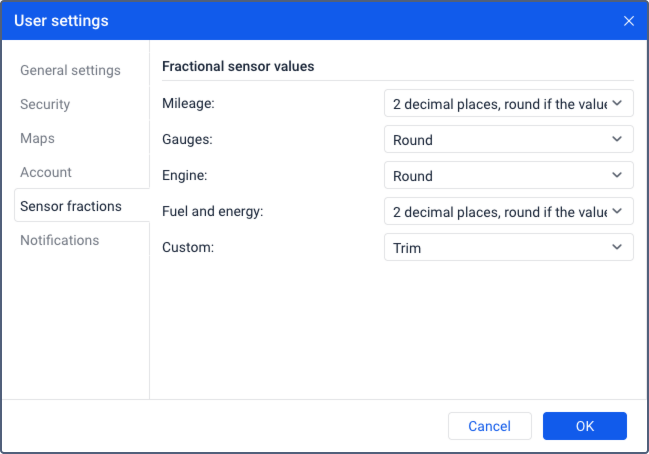
The tab shows several sensor groups. Only the settings for the groups which contain the sensor types available in Wialon Lite are applied in the system.
| Group | Description |
|---|---|
| Mileage | Not applicable in the system. |
| Gauges | The format of fractional values for temperature and weight sensors. |
| Engine | Not applicable in the system. |
| Fuel and energy | Not applicable in the system. |
| Custom | The format of fractional values for custom sensors. |
For the Custom group, you can select one of the following options of displaying the values.
| Option | Description |
|---|---|
| Round | The value is rounded to a whole number. |
| Trim | The fractional part of the value is not displayed, only the integer part is shown. |
| 2 decimal places | The value is rounded off to a hundredth. |
| 2 decimal places, round if the value is greater than 20 | The value is rounded to a hundredth if it is less than 20, and to a whole number if it is greater than 20. |
The selected settings only influence the display of values in the interface and don’t change the actual sensor values, so the calculations in the system are not affected. Calculation tables, formulas, notifications, and other functionality still use actual sensor values.