Trash
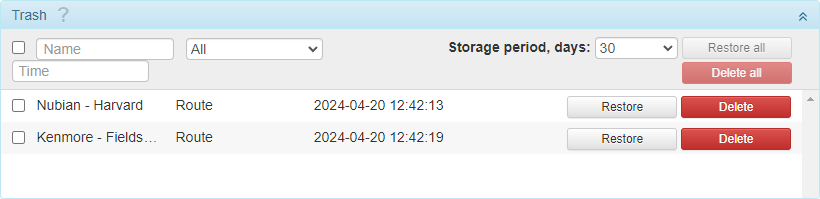
The objects deleted from the system are placed in the trash. Here you can restore them or delete them from the system permanently.
Storage term
In the header of the section, select the storage term for the deleted objects from the dropdown list (30 days by default). After this period, the objects are deleted automatically.
The selected storage term also applies to the trash in CMS Manager.
Restoring objects
To restore an object, click Restore in its row. To restore several objects at once, select them with a mouse click and then click Restore all in the header of the section.
Deleted objects are always restored into the root account wialon. If needed, you can transfer them later to the accounts that stay lower in the hierarchy. Moreover, you should take into consideration that restoring objects is, in fact, their re-creation, which means that it requires free slots.
Deleting objects permanently
To delete an object from the system permanently, click Delete in its row. To delete several objects at once, select them with a mouse click and then click Delete all in the header of the section.
Objects deleted permanently can’t be restored.
Permanent deletion is available only in the administration system. In the management system, users can only restore the objects or wait until they are deleted automatically.
Object list
On the list, you can see the object name, type, and the date and time of deletion. The following object types are available:
avl_unit(unit)storage_user(user)avl_resource(resource)avl_unit_group(unit group)avl_retranslator(retranslator)avl_route(route)