Registering customers
A customer can be either an individual or a company. To register a customer, follow these steps:
-
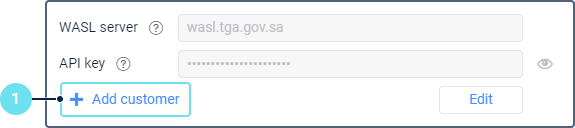
Click Add customer.
-
Fill in the fields below.
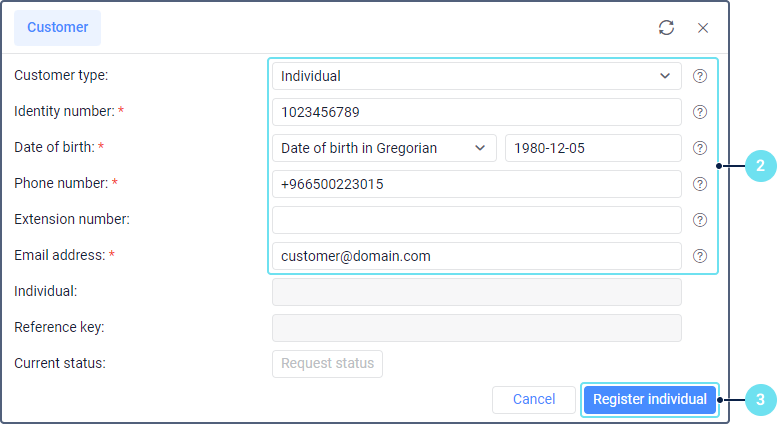
The required fields are marked with an asterisk (*). All the fields, except for Manager name, Manager phone number, Manager mobile number are not editable after the customer is registered.
Field Description Customer type* Select the customer type: an individual or an operation company. Identity number* Specify the identity number of the customer. It’s the unique number provided to companies or individual enterprises by the Ministry of Interior (MOI). If the customer is an individual, the identity number starts with 10. If it’s a company, it starts with 700. In both cases, it consists of at least 10 digits. Date of birth* Select the type of calendar (Gregorian or Hijri) and specify the customer’s date of birth. Available only when registering an individual customer. Commercial record number* Specify the company’s commercial registration number. It is the unique number provided by the Ministry of Commerce, indicated in the upper-left corner of the commercial certificate. It consists of at least 10 digits. Available only when registering a company. Commercial record issue date in Hijri* Specify the issue date of the company’s commercial registration in accordance with the Hijri calendar. Available only when registering a company. Phone number* Enter the phone number of the organization. It should start with +966 and contain 13 characters including the plus sign. Extension number Enter the extension number of the customer’s work phone. It may consist of up to 4 digits. Email address* Specify the email address of the customer. Manager name* Specify the name of the company’s manager. Available only when registering a company. Manager phone number* Enter the phone number of the company’s manager. It should start with +966 and contain 13 characters including the plus sign. Available only when registering a company. Manager mobile number* Enter the mobile phone number of the company’s manager. It should start with +966 and contain 13 characters including the plus sign. Available only when registering a company. Individual The full name of the individual. Filled in automatically after registering an individual customer. Company name The full name of the company. Filled in automatically after registering an operation company. Activity The activity type of the customer. The following options are available: default, bus rental, educational transport, light transport, motorcycle delivery, SFDA (food and drugs), speciality transport, transportation between cities. SFDA company activity The activity type of the SFDA company: store, transport, or store and transport. Available only if SFDA is selected in the Activity field. SFDA license number The license number of the SFDA company. Available only if SFDA is selected in the Activity field. Reference key The reference key of the customer. Filled in automatically after registering an individual or a company. -
Click Register individual or Register operation company, depending on the selected customer type.
A record of the successful registration is shown in the log, and the customer is saved to the table of customers. To go to this table, click on the icon  or select Cancel.