Getting started
The monitoring system Wialon allows you to monitor and control your units: vehicles, stationary objects, employees, pets, and more.
For more details, see the complete Wialon Hosting User Guide.
Login
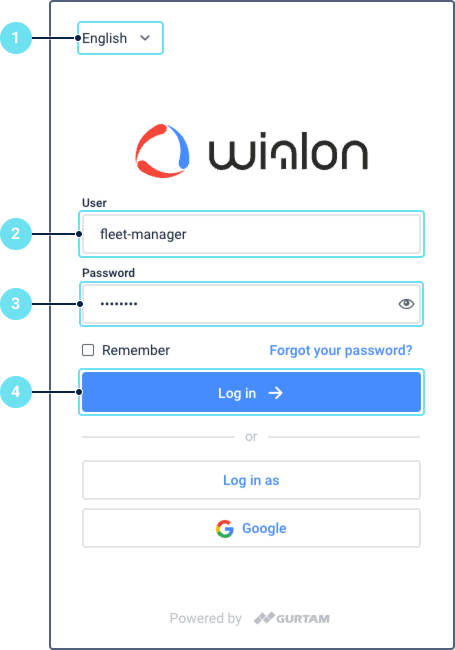
To log in to the monitoring system, follow the steps below.
-
Select the interface language.
-
Enter your username.
-
Enter your password. To save the credentials for further logins, check the Remember box.
-
Click Log in.
The username and password are provided by your service administrator. If you forgot your password, follow the steps to reset it.
Connecting hardware
To configure the tracker, follow the steps:
- Make sure that the tracker is connected to power and has a SIM card inserted with a data service connected.
- Specify an IP address and port.
- Specify APN (relevant only for GSM networks). To find it out, contact your GSM service provider.
- Specify the frequency of sending data.
To find out the IP address and port of the device, create a unit in your Wialon account. After specifying the type of the device, the information in the IP address:port format will appear in the Server address field.
APN is relevant only for GSM networks. In CDMA networks (currently CDMA is actively used only in America), it is not used. For some trackers (for example, Concox), automatic APN configuration is available (as long as the GSM operator supports its automatic issue).