Unit properties
The window of unit properties is shown when creating, editing, and copying a unit. In this window, you can specify different unit properties, configure access to the unit, create sensors, and so on.
To open the properties of a unit, click the icon  in the work list of the Monitoring tab or on the Units tab. The icon depends on your access rights to the unit:
- If you have the rights to edit the properties, the icon opens the properties for editing.
- If you have only the rights to view the properties, the icon is shown with an eye (
 ). In this case, you can open the properties, but you can’t change them.
- If you don’t have the View object and its basic properties access right to the unit, the icon is inactive.
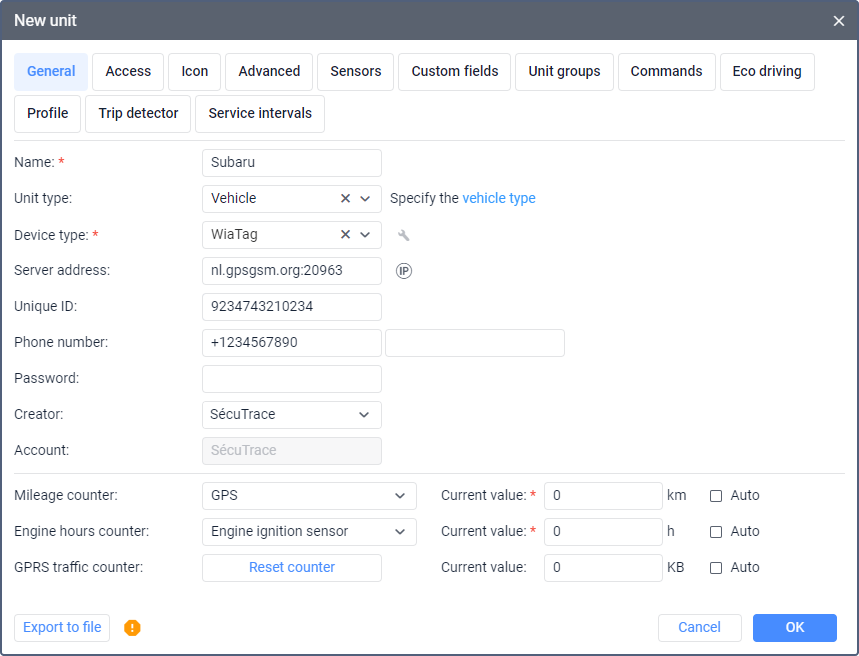
Depending on your access rights to the unit and the enabled services, the window may contain up to 13 tabs:
- General;
- Access;
- Icon;
- Advanced;
- Sensors;
- Custom fields;
- Unit groups;
- Commands;
- Eco driving;
- Profile;
- Trip detector;
- Service intervals;
- Video.
There are buttons for restoring and exporting the unit properties on all the tabs.