Modifying a customer template
Who can do it: Service provider
Where: Wialon Platform Studio
You can edit the configuration of an existing customer template to reflect new requirements or support additional modules.
- In the navigation menu, go to the Customers page.
- Select the Customer templates tab.
- Select the template you want to modify.
- Access the template details by clicking on its row.
- Adjust the configurable elements on the following tabs:
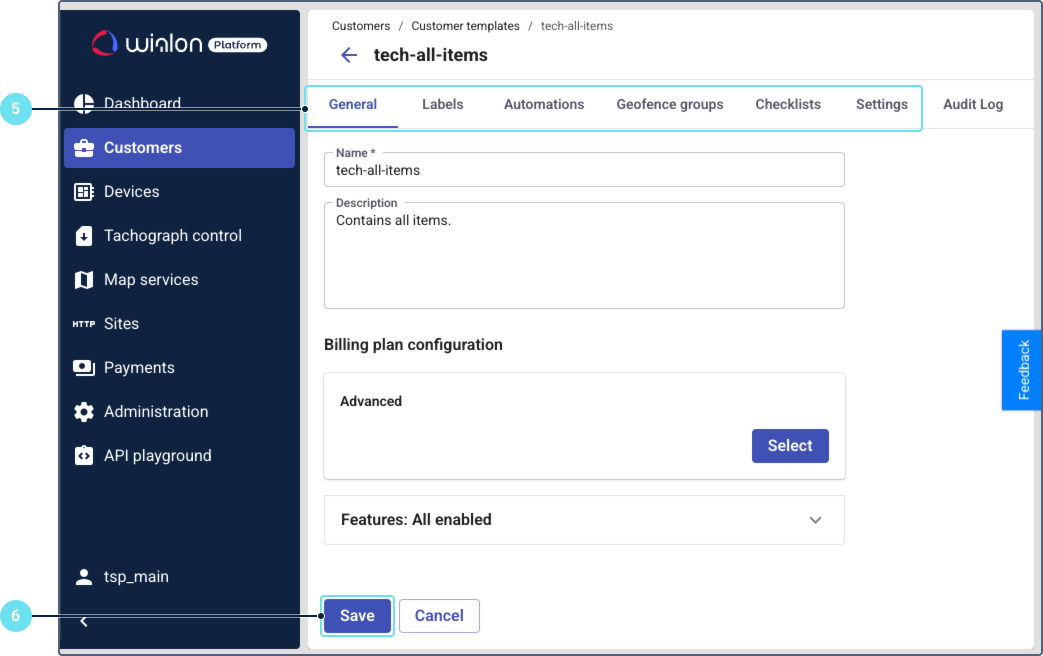
- General: Rename the template, add or modify a description, change the billing plan, and enable or disable the features that will be available to customers created from this template.
- Labels: Create and manage labels and label groups to categorize devices.
- Automations: Configure automations and action templates to create automated workflows.
- Geofence groups: Set up geofence groups to organize geofences.
- Forms: Create form templates for vehicle inspections or any other processes.
- Driver behavior: Configure criteria and assign them to vehicle labels (vehicle types) to monitor driver performance.
- Settings: Customize various settings, including custom terms for devices, localization options (time zone), additional properties for devices, and access to driver app.
- Click Save to confirm the update.
The changes won’t affect existing customers created from this template; they will retain their current configuration. The updated template will apply to any new customers created afterward.
To delete the customer template, click the button  in its row in the list.