Introduction
Wialon Platform is a no-code fleet digitalization platform that lets service providers create, brand, and grow solutions as their own. It can be configured, customized, and scaled like a proprietary product — without the need for development.
This documentation is intended for telematics service providers, fleet managers, drivers, and other users of Wialon Platform who are involved in managing and digitalizing fleet operations.
Core features
Wialon Platform provides a comprehensive set of features designed to meet the fleet management and digitalization needs of service providers and their customers, such as:
- Customizable application building: Design unique solutions tailored to specific client needs.
- White-labeled sites and apps: Offer the platform under your own brand, with custom domains, logos, color schemes, and mobile apps published in the app stores.
- Comprehensive fleet management: Gain full control over fleet operations, from real-time monitoring to historical data analysis.
- Advanced automation and actions: Automate routine tasks and create custom actions to improve efficiency.
- Driver performance and compliance: Monitor driver behavior and ensure compliance with industry regulations.
- Device and data channel configuration: Easily integrate and manage a wide range of telematics devices.
- Geofence and label management: Create and manage virtual boundaries and custom labels for asset organization.
- Maintenance scheduling and tracking: Plan and track vehicle maintenance to reduce downtime and costs.
- Video telematics: Connect video devices and review footage linked to events and trips.
- Indoor asset tracking: Track assets inside buildings on floor plans with tags, anchors, and zones.
- Forms and task desk: Collect data from the field and manage day-to-day tasks.
- Analytics and dashboards: Track customer growth, device activity, and application usage.
- Open API: Manage provider and customer data programmatically through the RESTful Wialon Platform API.
- AI agent: Delegate account tasks to the AI agent, which performs the actions available through the API.
Wialon Platform structure
Wialon Platform includes the following applications:
| Part | Who uses it | Purpose |
|---|---|---|
| Wialon Platform Studio | Service providers | Manage customers, configure devices, set up applications, and build white-labeled solutions. |
| Wialon Platform FleetSpace | Fleet managers and other customer users | The daily-use application for fleets to monitor and manage their operations. |
| Wialon Platform mobile app | Fleet managers and other customer users | Monitor the fleet on the go: device locations, tracks and sensor data. Configuration and administration remain in Wialon Platform Studio and Wialon Platform FleetSpace on the web. |
| Wialon Driver | Drivers | Submit vehicle inspection forms, view driving performance score, manage private mode and notifications. |
Where to start and get help
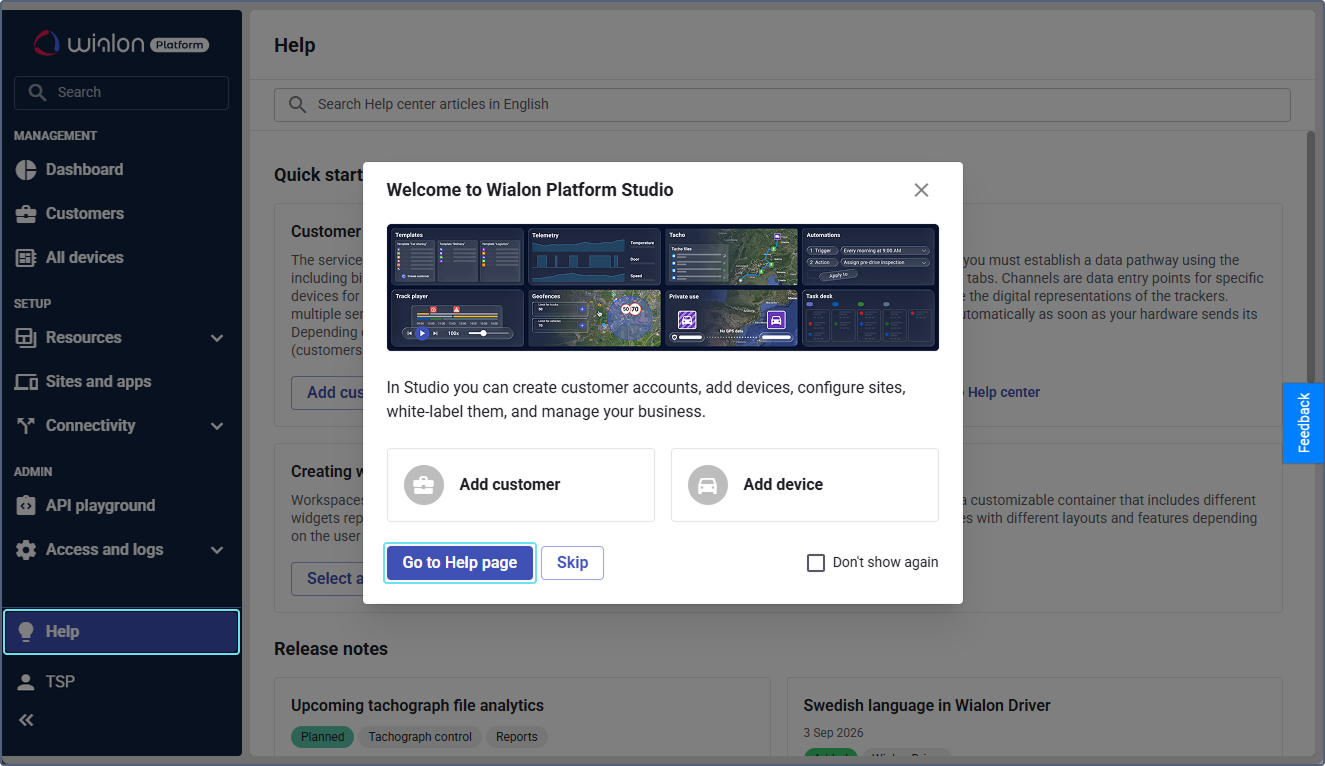
On the Help page in Wialon Platform Studio you can search for articles in Help center without leaving the application, check the latest updates, and open the recommended guides.
To open it, click Help or the icon  in the navigation menu. When you log in for the first time, click Go to Help page.
To set up Wialon Platform step by step, see the Quick start guide.