Running custom reports
Who can do it: Customer
Where: Wialon Platform FleetSpace
Custom reports allow you to analyze fleet data using analytics items configured by your service provider. You can run these reports from the Reports page, filter the results, and export them to CSV.
Generating a report
To run a custom report:
- In Wialon Platform FleetSpace, navigate to the Reports page.
- In the report selector dropdown, select the custom report you want to run. If you can’t see custom reports in the list, ask your service provider to enable the Analytics builder feature and grant you the View permission on the Custom report entity.
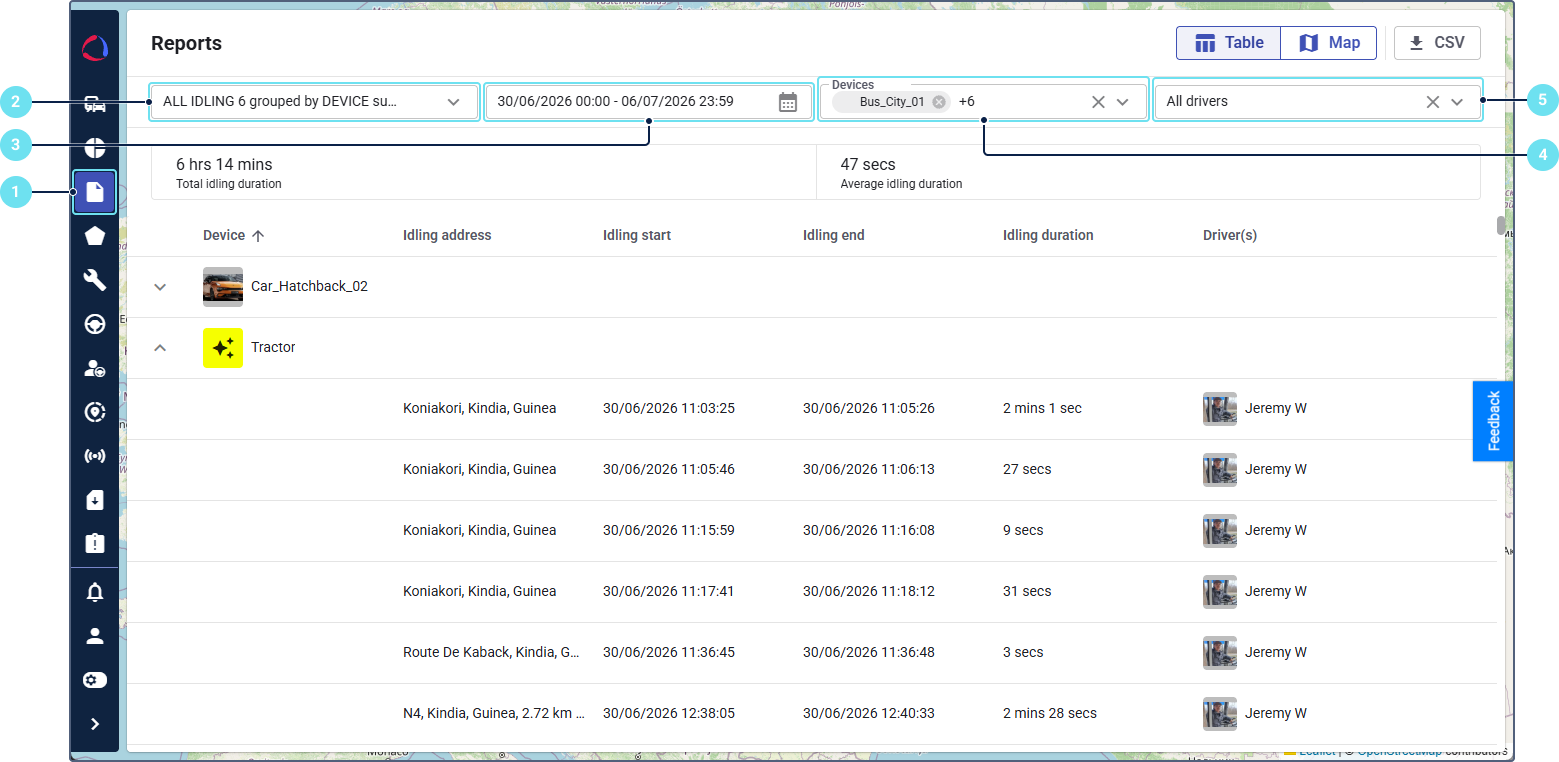
- Select the date range for the report using the date picker.
- Select the devices to include.
- Select the required drivers. If the Drivers module isn’t enabled for your account, the driver filter isn’t shown.
The report is generated automatically.
To download the report in CSV format, click the CSV button. The CSV button is active only when the report contains data.