Logging in to Wialon Platform mobile app
Who can do it: Customer user
Where: Wialon Platform mobile app
To log in to the Wialon Platform mobile app, you need the credentials from your service provider: a realm ID, a login, and a password. Contact your service provider if you don’t have them yet.
To log in:
-
Open the Wialon Platform mobile app on your device.
-
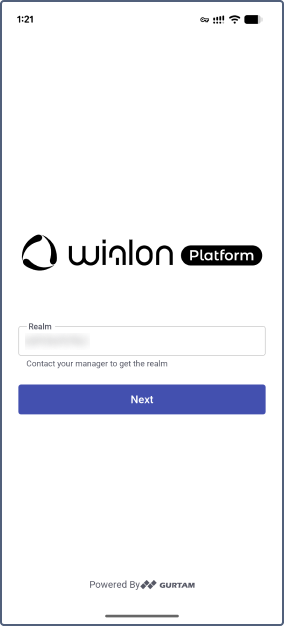
Enter the Realm provided by your service provider. The realm is automatically saved on your device. For future sessions, you only need to enter your login and password.
-
Tap Next.
-
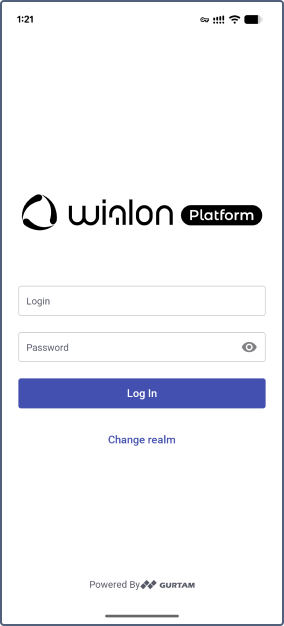
Enter your Login and Password.
-
Tap Log In. If you need to change the realm, tap Change realm on the login screen and follow steps 2–3.
-
If you have several assigned workspaces, select one from the list.
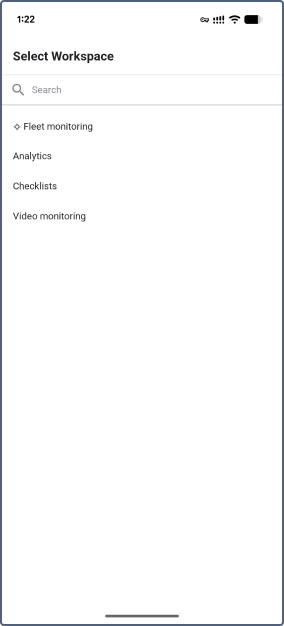
The selected workspace defines which features and data are available to you in the app.