Configuring customer emissions settings
Who can do it: Service provider Where: Wialon Platform Studio
To calculate Scope 1 emissions for a customer fleet, assign an emission factor to the customer for a specific calendar year. The emissions settings are configured on the Emissions tab of the customer details on the Customers page.
You can configure emissions settings only for the current year or a future year. Settings for past years can’t be created or modified.
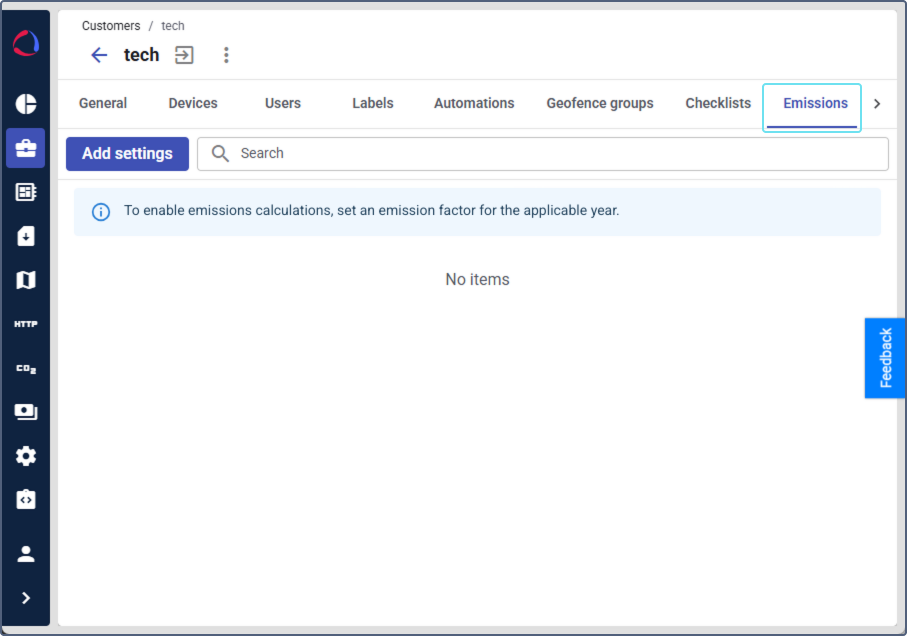
Creating emissions settings
To configure emissions settings for a customer:
-
In Wialon Platform Studio, open the Customers page.
-
Select the customer you want to configure.
-
Go to the Emissions tab.
-
Click Add settings.
-
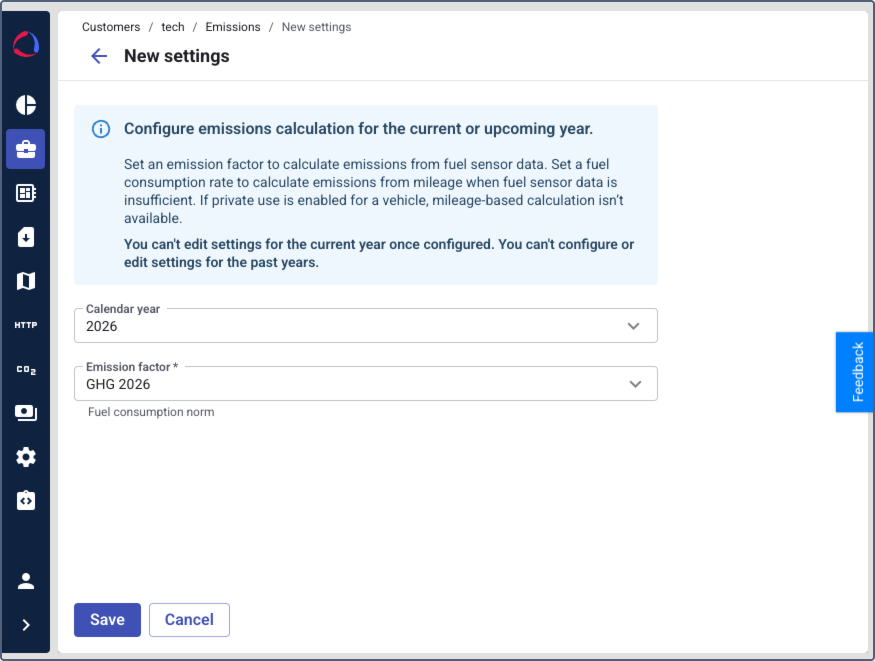
In the Calendar year field, select the year these settings apply to. You can choose the current year or the next year. Years that already have configured settings aren’t available for selection.
-
In the Emission factor field, select the emission factor dataset to use for this year.
-
Click Save.
Once saved, the settings for the current year can’t be edited. You can only edit settings for the next year until it becomes the current year.
Next, complete the following device-level configuration:
- Fuel volume sensor: Configure the fuel volume sensor for devices equipped with fuel level sensors. This sensor provides actual fuel consumption data from CAN bus parameters. For vehicles with multiple tanks, use the Multiple option in the sensor template to track each tank separately (up to 2 tanks).
- Energy and emissions details: Fill in the fuel type and normative fuel consumption in device properties. The normative fuel consumption is used to estimate emissions when sensor data is unavailable. In this case, the consumption is calculated based on distance (liters per 100 km) or engine hours (liters per hour). This is less accurate than actual sensor data.
If private use is enabled for a device, mileage-based calculation isn’t available for that device.
Editing emissions settings
You can edit emissions settings only for the upcoming year. To edit the settings:
- Go to the customer’s Emissions tab on the Customers page.
- Click the settings entry you want to modify.
- Update the emission factor or fuel consumption norm.
- Click Save.
If both the current year and the next year already have configured settings, the Add settings button isn’t available.