Granting access to form templates for customer users
Who can do it: Service provider
Where: Wialon Platform Studio
You can control which customer users have access to view and assign form templates within Wialon Platform FleetSpace. This is managed through the user permissions settings in Wialon Platform Studio.
-
Log in to Wialon Platform Studio.
-
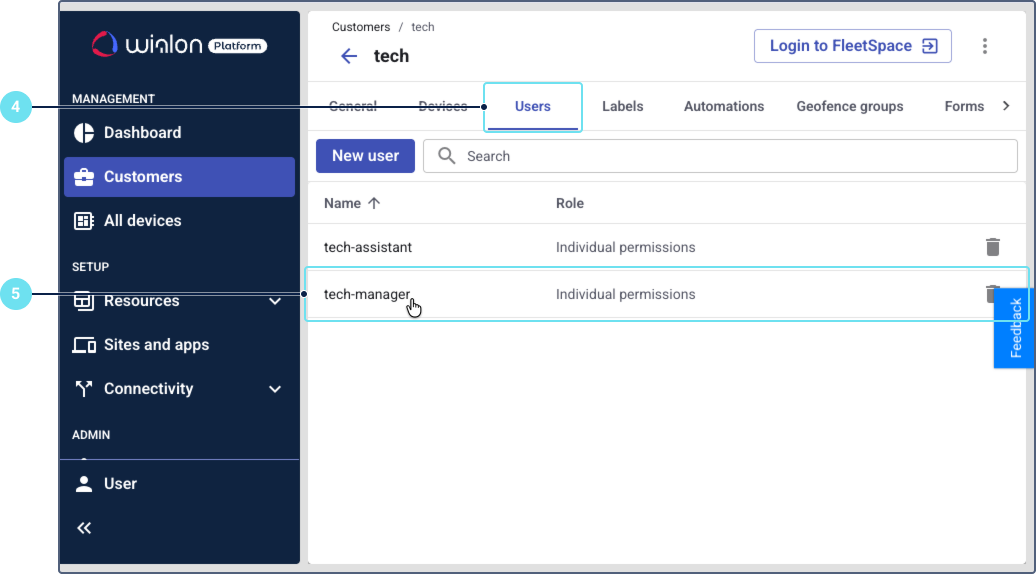
In the navigation panel, click on Customers.
-
From the list of customers, select the customer whose user you want to grant access to.
-
On the customer’s detail page, navigate to the Users tab.
-
Select the specific user profile you wish to modify by clicking on their name, or click Add to create a new user.
-
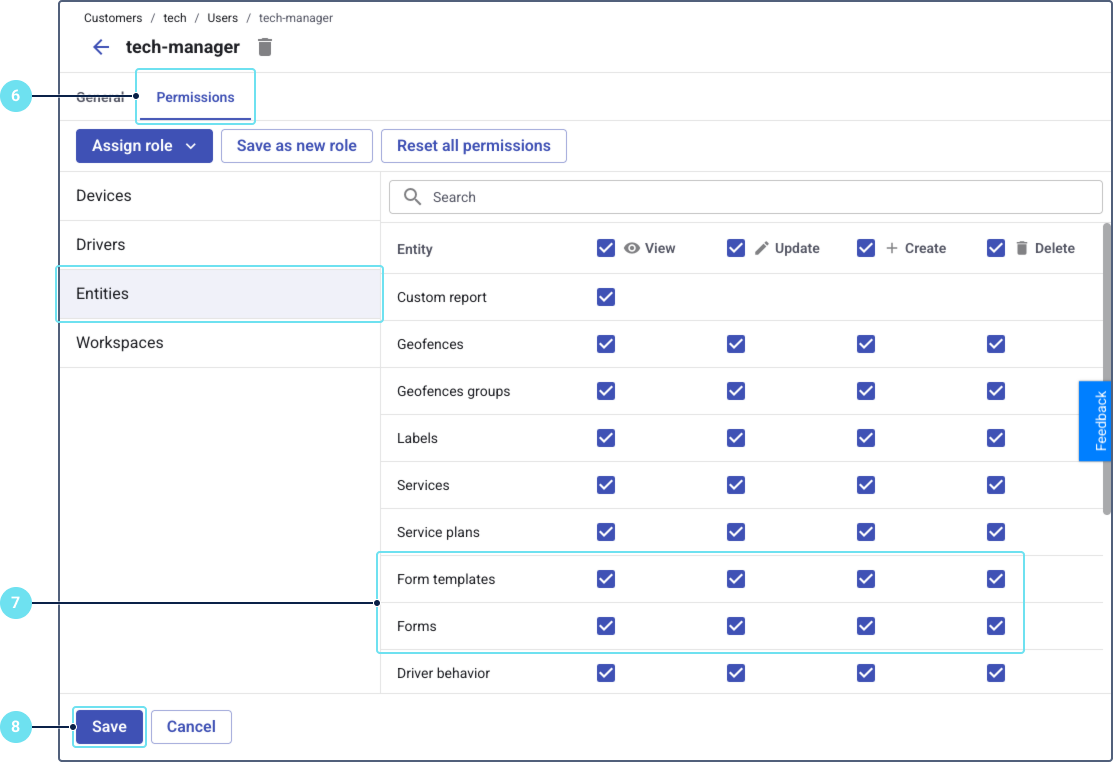
Go to the Permissions tab of the user.
-
Under the Entities category, configure the permissions for forms:
- For Form templates, select the View checkbox to allow the user to see existing form templates.
- For Forms, select the View, Update, and Create checkboxes to allow the user to see, modify, and create forms, respectively.
-
After configuring the permissions, click Save at the bottom of the form to apply the changes.
The customer user will now have the access rights to view form templates and manage forms in Wialon Platform FleetSpace.