White-labeled driver app
Who can do it: Service provider
Where: Wialon Platform Studio
You can create a white-labeled version of the driver mobile application under your own brand, with a custom app name, icon, logo, and color scheme. The white-labeled app is published to the Apple App Store and Google Play Store under your own developer accounts.
Setting up a white-labeled driver app includes the following steps:
- Configuring app branding: Set up the app name, icon, logos, and theme colors.
- Driver app configuration: Provide signing credentials for Android and iOS.
- Building and managing app versions: Generate app binaries, track build progress, and download files.
- Uploading builds to app stores: Submit the APK to Google Play and the IPA to the Apple App Store.
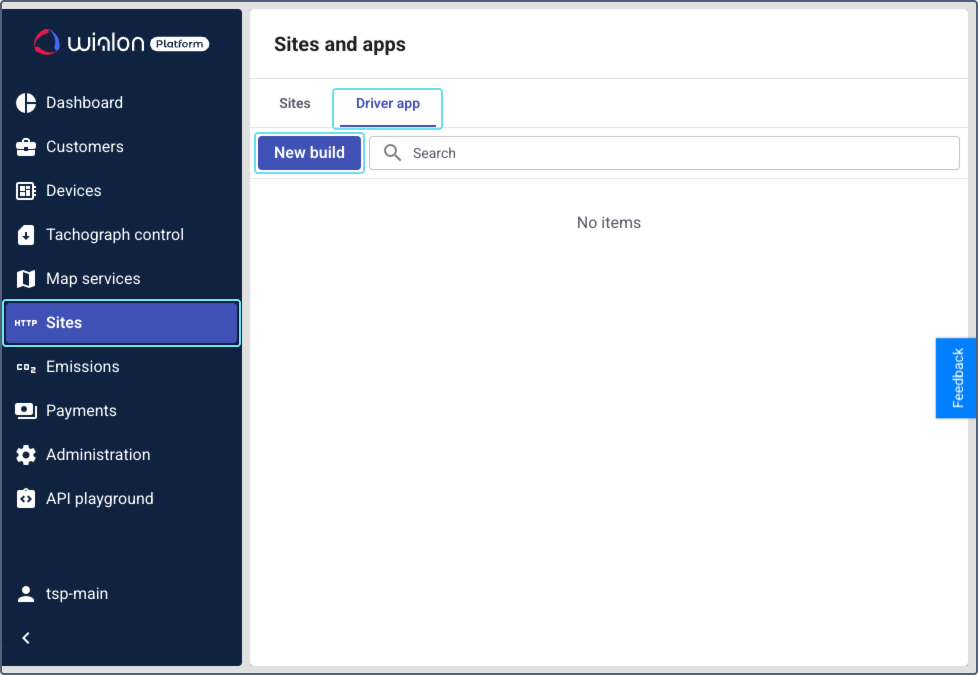
To start, navigate to the Sites page in Wialon Platform Studio. Go to the Driver app tab, then click New build.